
Write your agent's instructions
Brief your agent like a new team member — tell it the goal of every call and how to behave, in plain words. Step by step, with pictures.
This is where you tell your agent what to do on a call and how to behave — just like briefing a new team member on their first day. You write it in plain words: no code, no special format. The more detail you give, the better your agent performs.
In the agent builder, this is Step 7 — Agent goals.
What goes here?
The goal of every call (book appointments? answer questions? take messages?), the things your agent should always do, the things it should never do, and what to do when it can't help. That's it.
Step 1: Open the Agent goals step
In the agent builder, click Agent goals in the checklist on the left. You'll see a big box where you write your instructions.
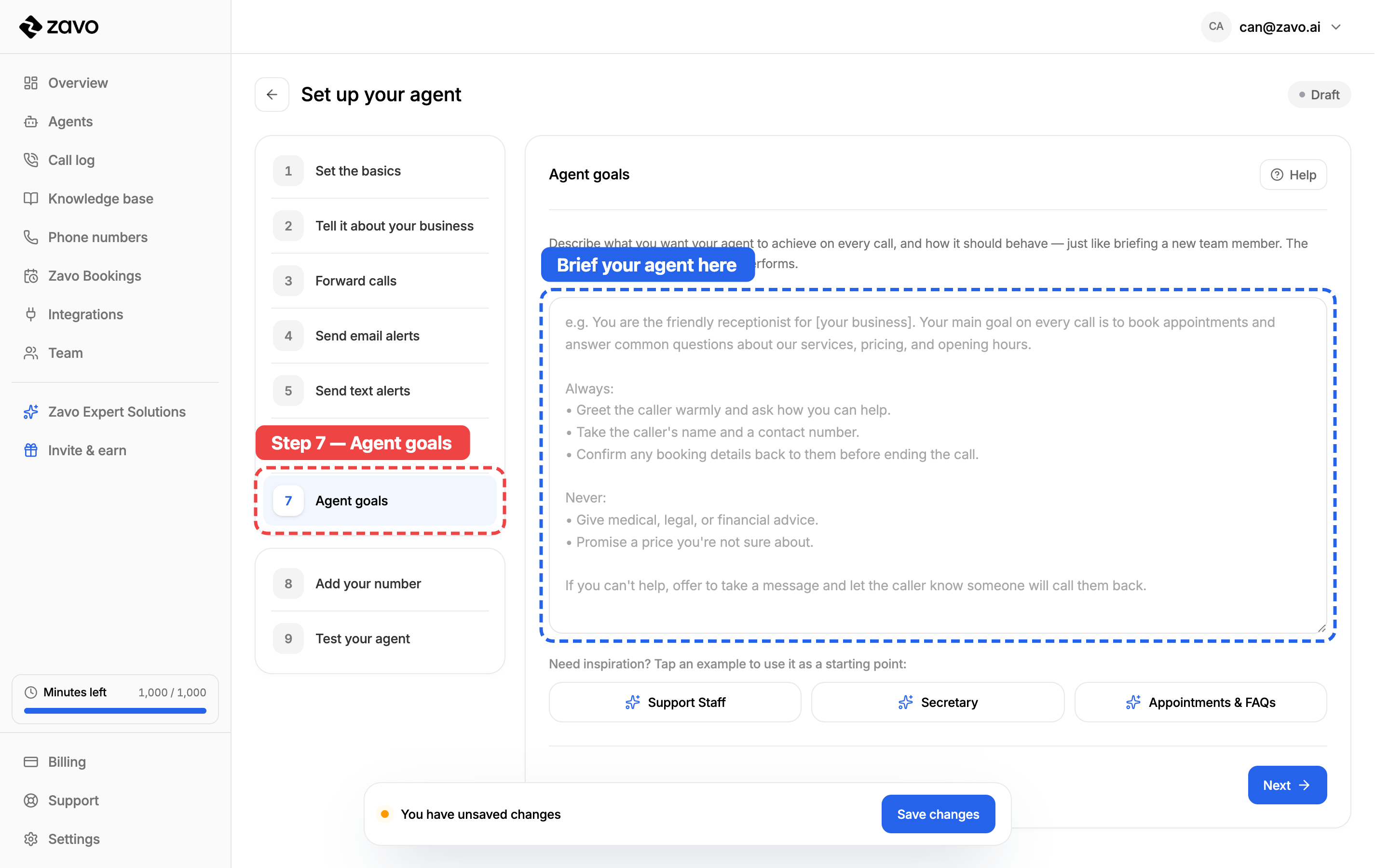
The greyed-out writing in the box is just an example to show you the shape of a good brief — start typing and it disappears.
Step 2: Write your instructions
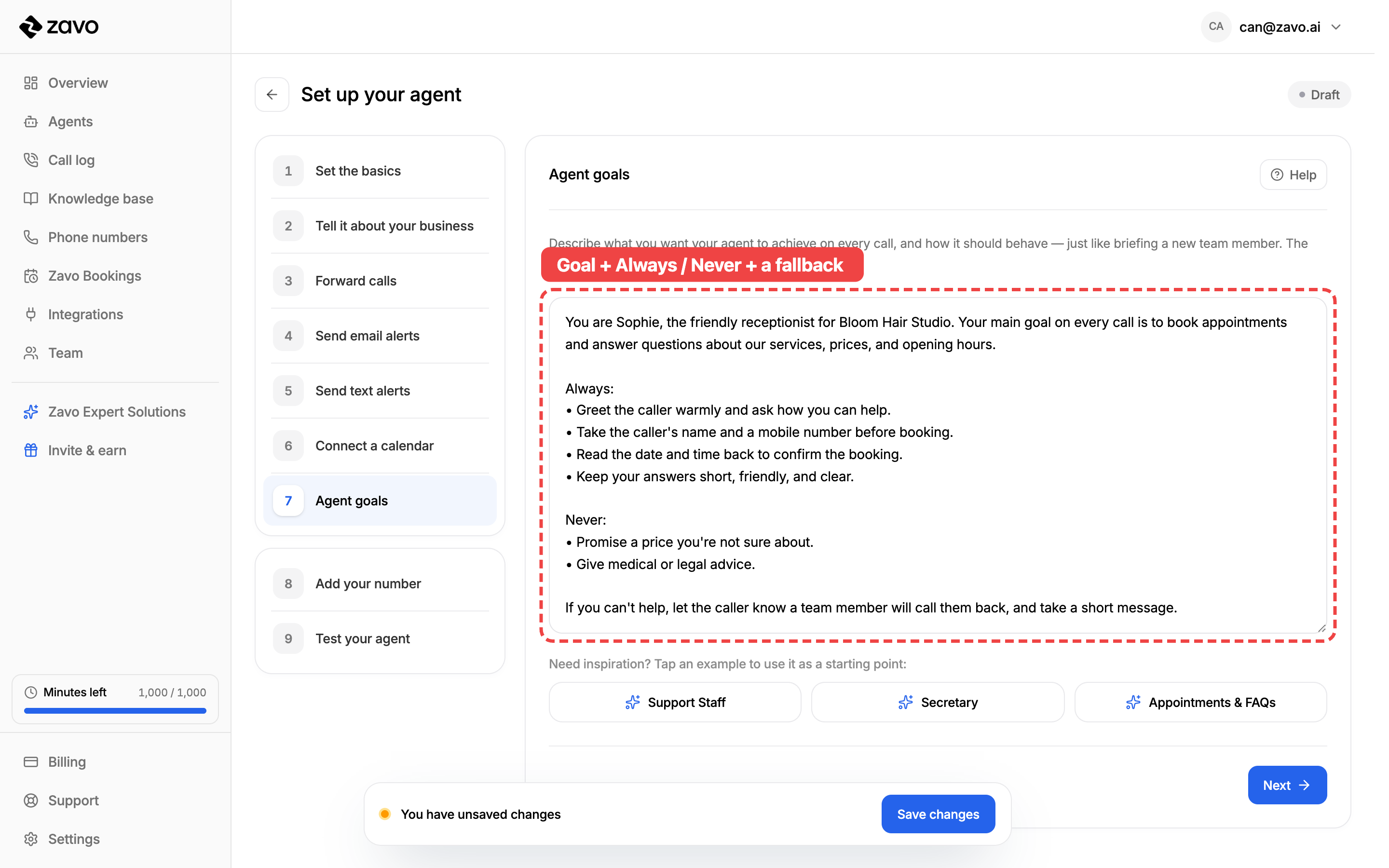
Write to your agent the way you'd explain the job to a new receptionist. A simple recipe that works every time:
- Say who it is and the main goal — "You are Sophie, the receptionist for Bloom Hair Studio. Your main goal is to book appointments and answer questions."
- List what it should always do — greet warmly, take a name and number, confirm the booking.
- List what it should never do — promise a price it's unsure about, give medical or legal advice.
- Say what to do when it's stuck — "take a message and let them know someone will call back."
Tips for a great brief
- Write like you talk. Short, friendly sentences work best.
- Be specific. "Book appointments" is good; "book appointments and always ask for a mobile number" is better.
- Use Always / Never lists. They're the easiest way to set firm rules.
- You don't need to repeat your business facts here — prices, hours, and services live in your knowledge base. This box is for behaviour.
Step 3: Or start from a ready-made example
Not sure where to begin? Don't write from scratch. Tap one of the ready-made examples at the bottom and a detailed, proven brief drops straight into the box. Then just tweak it to fit your business.
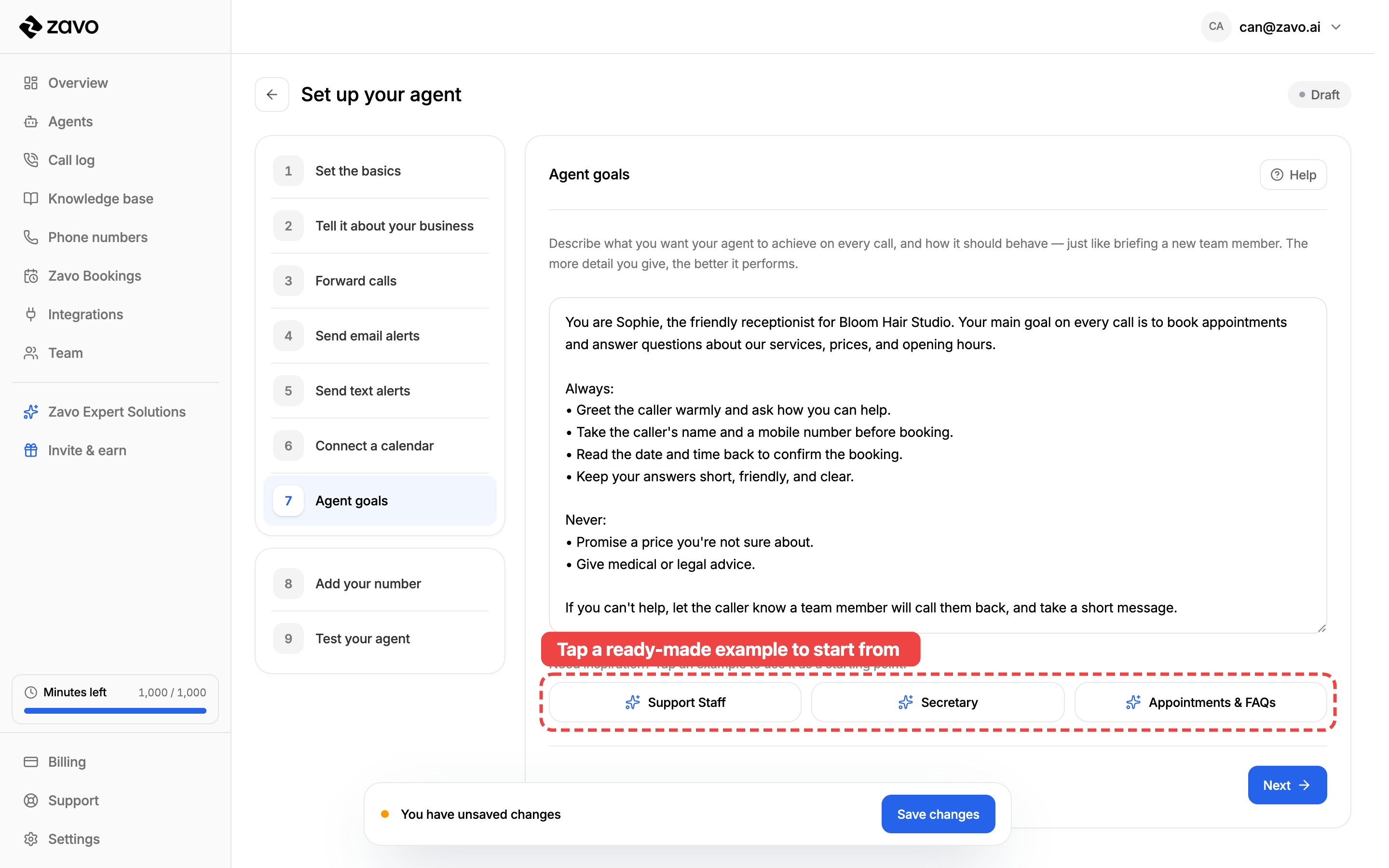
- Support Staff — answers calls, handles common questions, escalates the rest.
- Secretary — screens spam, takes messages, puts the right callers through.
- Appointments & FAQs — books people in and answers your most common questions.
Tapping an example replaces whatever's in the box, so pick one before you start typing, then edit from there.
Step 4: Save your work
When you're happy with your brief, click Save changes at the bottom. Your work is saved as a draft — you can come back and refine the instructions any time.
Nothing is final
You can rewrite your agent's instructions whenever you like. Many businesses tweak them after listening to a few real calls — that's normal, and it's how you get a great agent.
Next: test your agent
Now that your agent knows its job, it's time to hear it in action. Head to Test your agent to give it a call before you go live. 🎉
6. Set up actions and integrations
Have your agent act after a call — email or text your team with what happened, and book appointments into your calendar. Every setting, step by step.
8. Connect your number to your agent
Point a phone number at the agent that should answer it — a couple of clicks on the Phone numbers page. Step by step, with pictures.